
Record, edit, and share — effortlessly
SmartRecord gives you everything you need to capture your screen, polish your recordings with smart editing tools, and export professional videos in seconds.
Every tool you need to create pro videos
Explore the powerful features that make SmartRecord the fastest way to record, edit, and share screen recordings.
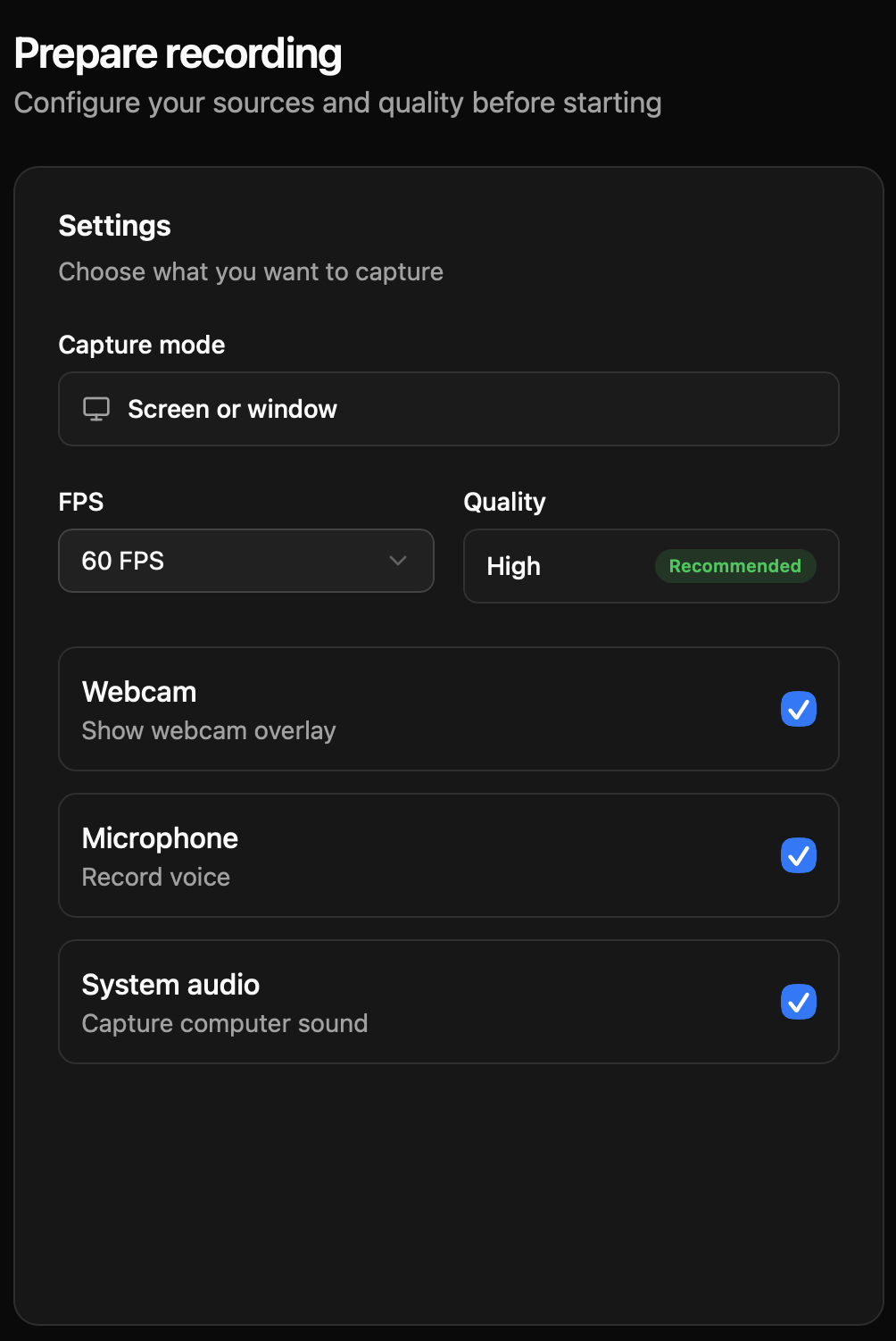
Prepare Your Recording Before You Start
Configure everything before hitting record. Choose your screen, microphone, camera, resolution, and recording preferences — all from one clean, intuitive panel.
Whether you're recording a quick demo or a full tutorial, SmartRecord adapts to your setup so you can focus on delivering your message.
- Screen & window selection
- Audio & microphone setup
- Resolution & frame rate control
- Camera overlay preferences
Add Zoom Effects Effortlessly
Highlight important areas of your screen with smooth, animated zoom effects that keep your video clear, focused, and engaging.
Perfect for tutorials, product demos, and walkthroughs — guide your viewer's attention exactly where it matters, without any manual keyframing.
- Smooth animated zoom transitions
- Perfect for tutorials & demos
- Automatic focus detection
- Adjustable zoom intensity

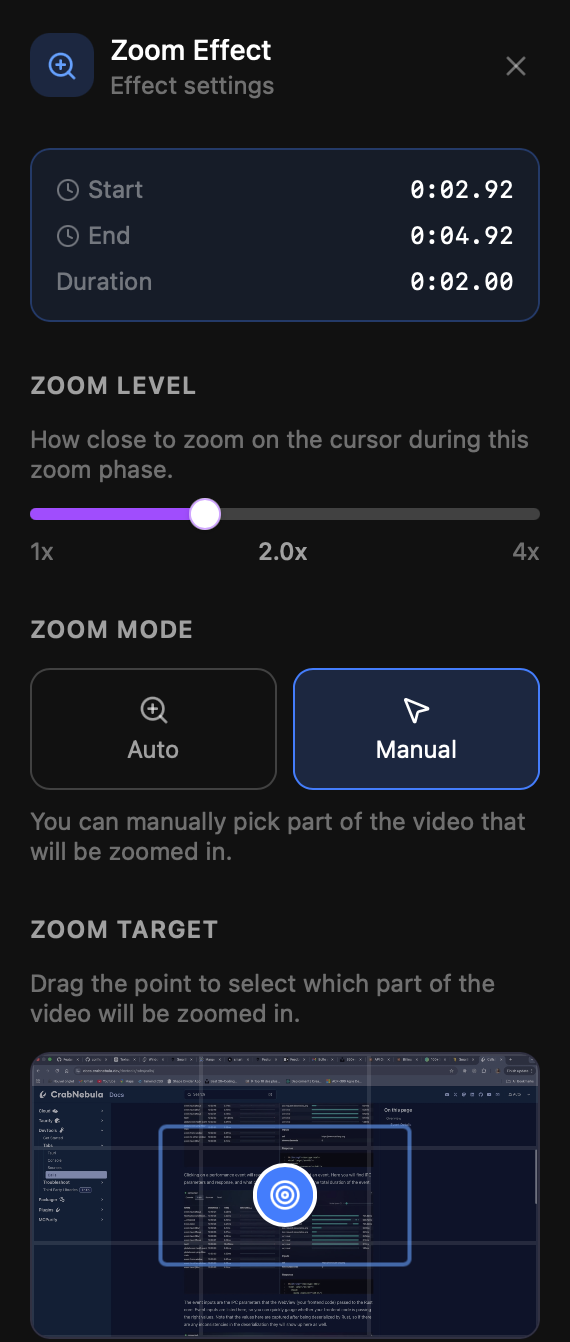
Full Control Over Zoom Behavior
Let SmartRecord handle zoom automatically based on your cursor and clicks, or take full manual control to craft the perfect viewing experience.
Edit, reposition, or delete zoom effects at any time. Every zoom point is non-destructive and fully adjustable after recording.
- Auto or manual zoom modes
- Edit or delete zoom effects
- Non-destructive zoom editing
- Cursor-based auto detection
Cut What You Don't Need
Split your timeline and remove unwanted sections in seconds — no complex editing tools or steep learning curves required.
SmartRecord's intuitive timeline makes it easy to trim mistakes, remove pauses, and keep only the content that matters to your audience.
- Split timeline instantly
- Delete unnecessary parts
- Visual timeline editor
- Undo & redo support

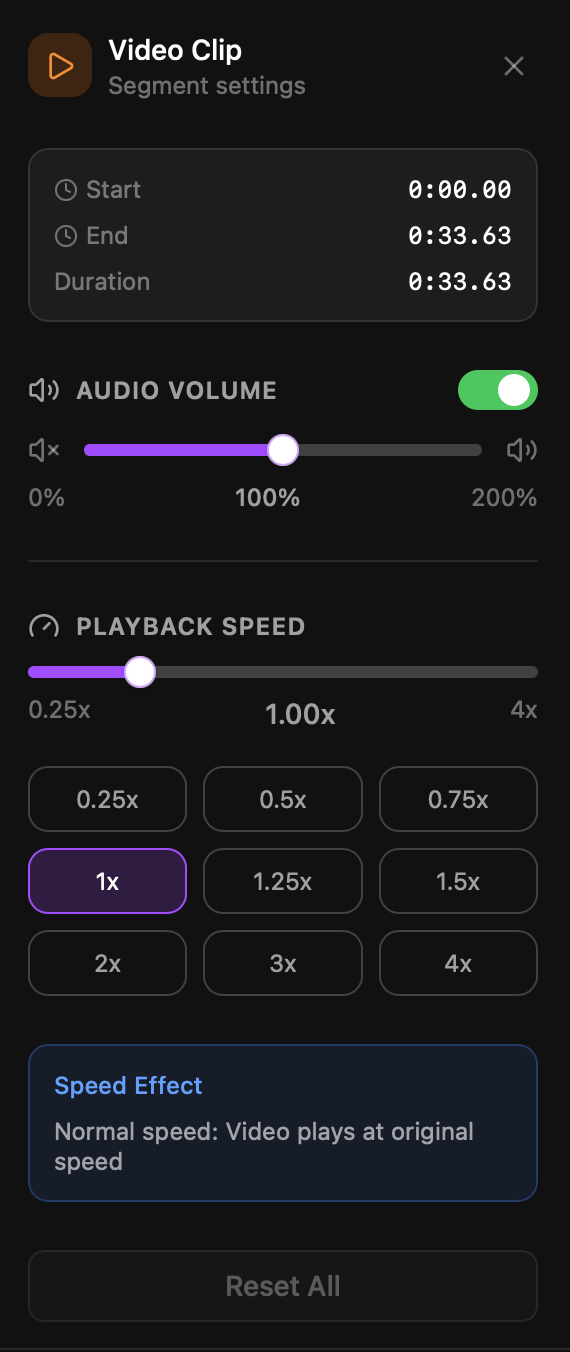
Fine-Tune Playback and Audio
Speed up or slow down specific parts of your video for a smoother, more dynamic viewing experience. Perfect for skipping repetitive steps or emphasizing key moments.
Adjust audio levels across your recording to ensure consistent volume. Balance your microphone, system audio, and background music with precision.
- Playback speed control per segment
- Audio volume adjustment
- Microphone & system audio balance
- Smooth speed transitions
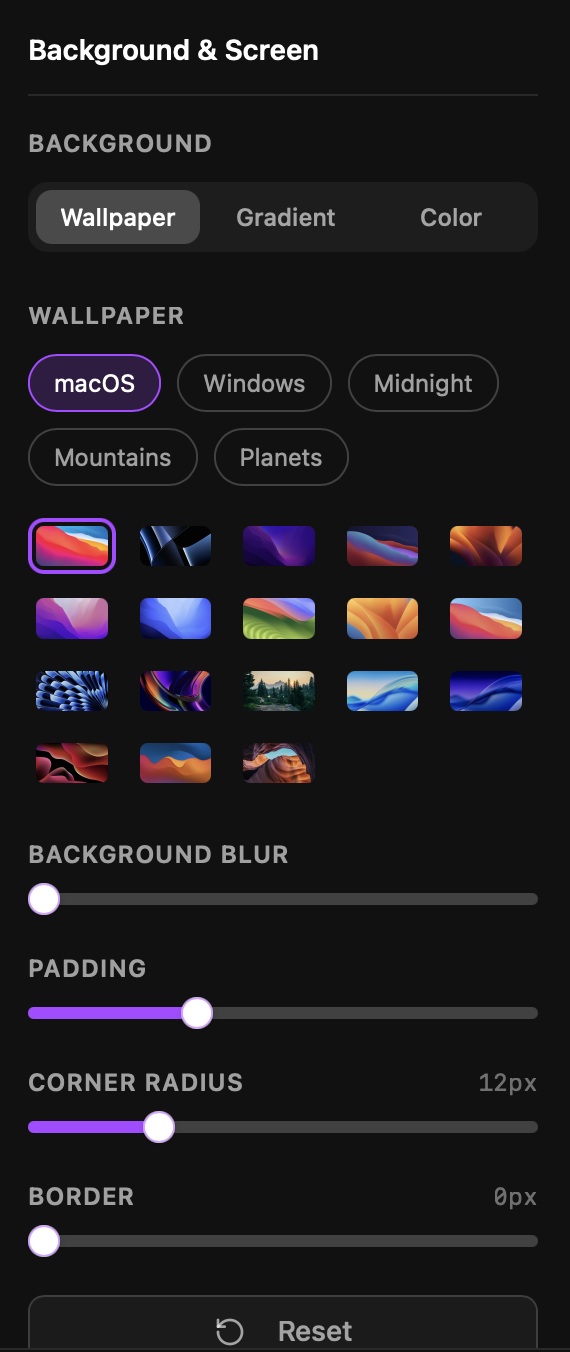
Enhance Your Video with Backgrounds
Add clean, modern backgrounds behind your screen recording to make your videos look more professional and polished — no green screen needed.
Choose from a library of styles or upload your own. Backgrounds automatically adapt to your recording dimensions for a seamless look.
- Multiple background styles
- Better visual consistency
- Custom background uploads
- Auto-fit to recording size
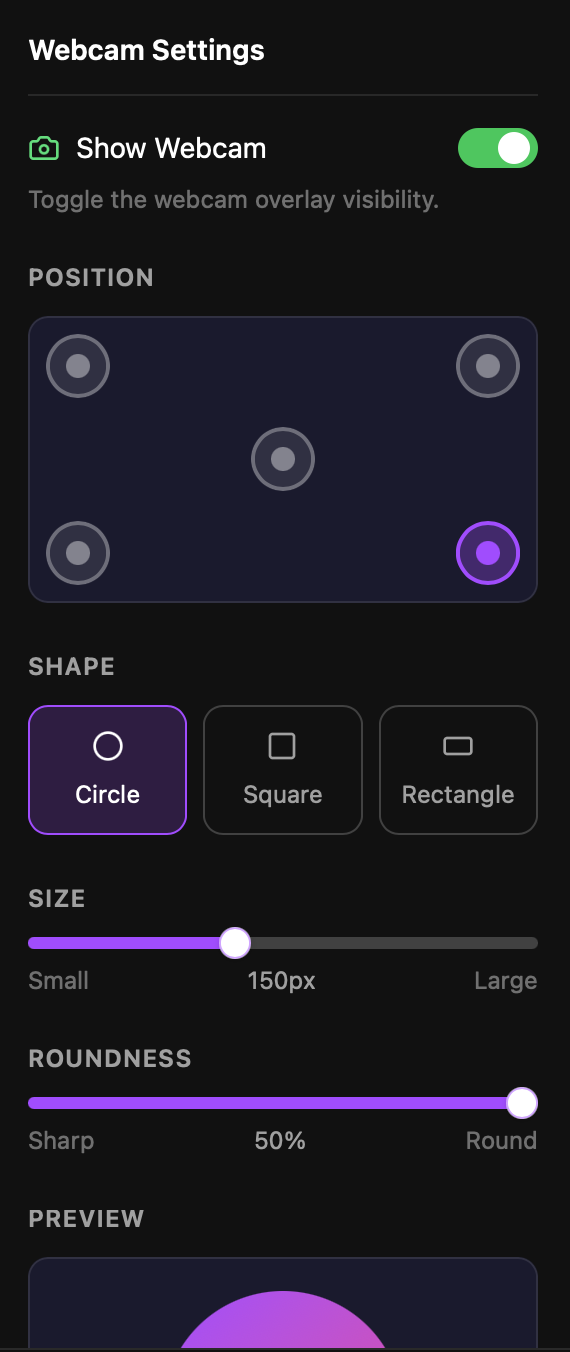
Control Your Camera Overlay
Position your webcam anywhere on the screen and customize its appearance to match your content. Resize, reshape, and style your camera feed with ease.
Whether you want a small circle in the corner or a large side-by-side layout, SmartRecord gives you full flexibility over your camera presentation.
- Flexible camera placement
- Webcam size & layout control
- Circle, rounded, or custom shapes
- Background blur & effects
Automatically Remove Silences
SmartRecord detects and removes silences and hesitations automatically, keeping your videos clean, professional, and engaging — without any manual editing.
Fine-tune the sensitivity to match your speaking style. Preview changes before applying, and restore any section with a single click.
- Automatic silence detection
- Cleaner pacing without effort
- Adjustable sensitivity threshold
- One-click restore

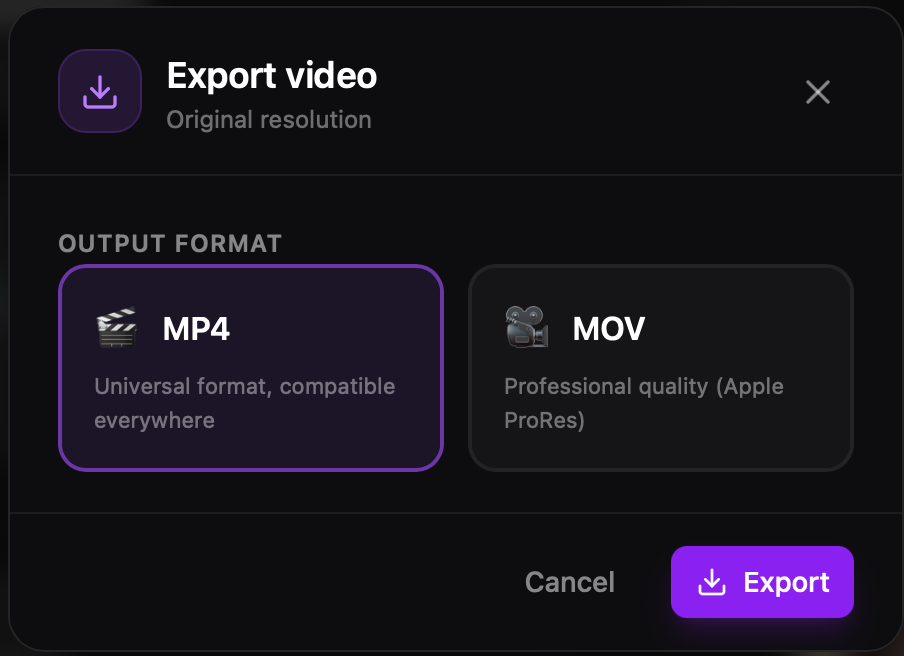
Export Your Video in Seconds
Optimized local processing ensures fast, reliable exports — no cloud upload, no waiting. Your video is ready to share the moment it's done.
Choose your resolution, format, and quality settings. Export in MP4, or MOV with full control over compression and file size.
- Fast local export
- Ready to share instantly
- Multiple format options
- Custom quality & resolution
See SmartRecord in action
Discover how SmartRecord streamlines your screen recording workflow from capture to export.
Missing a feature?
Tell us what you'd love to see in SmartRecord. Your feedback shapes our roadmap.
Trusted by creators and teams worldwide
Join thousands of content creators, educators, and teams who use SmartRecord to produce professional screen recordings in minutes.
SmartRecord cut my video production time in half. The automatic silence removal alone saves me hours every week on my documentation videos.

Maerik Ayina
Creator of Pixgraph.ca
I use SmartRecord daily for bug reports and code reviews. The smart zoom feature makes it incredibly easy to highlight exactly what matters.

Stephane TOUKAM
Software Engineer
Recording design walkthroughs has never been this smooth. The webcam overlay and custom backgrounds make every video look polished and professional.
Fabrice Amogo
Product Owner
SmartRecord transformed how we onboard new clients. I can create personalized walkthrough videos in minutes instead of scheduling live calls.

Loic Nguegang
Creator of LinkAuditix
The timeline editing and playback speed controls are a game changer. I can now create professional-looking tutorials in a fraction of the time.

Warren Ngankou
Software Developer
SmartRecord is the only screen recording tool that actually understands what developers and designers need. The AI-powered features are genuinely useful, not just marketing hype.

Muriel Wona
.Net Developer